
Your Complete Client Journey
From requesting account access to tracking project completion - understand every step of working with Vraee Jewelry Studio.
Request Account Access
Fill out our comprehensive registration form with your business details, company information, and service preferences. All information is collected upfront for a streamlined experience.
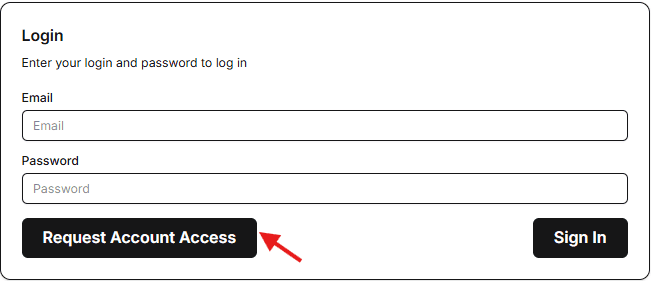
Admin Review & Approval
Our team reviews your application to ensure quality service delivery. You'll receive an email notification once your account is approved, typically within 24 hours.
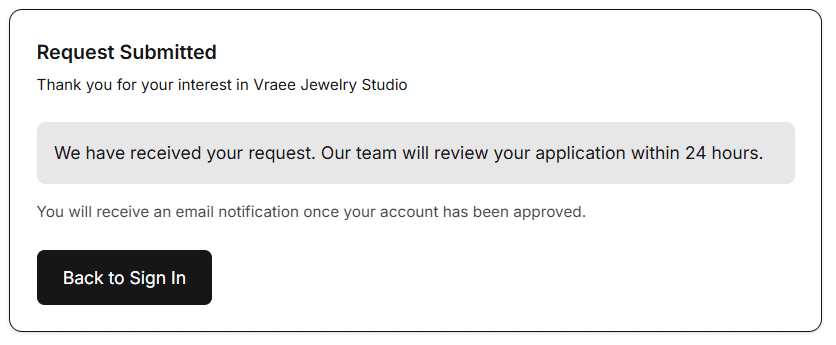
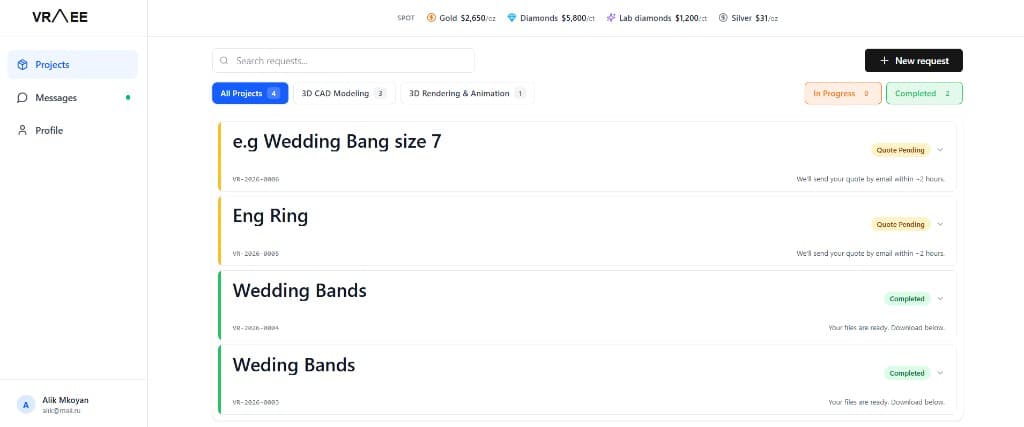
Access Your Client Portal
Log in to your personalized dashboard where you can view all your projects, track progress, analyze performance metrics, and manage your account settings.
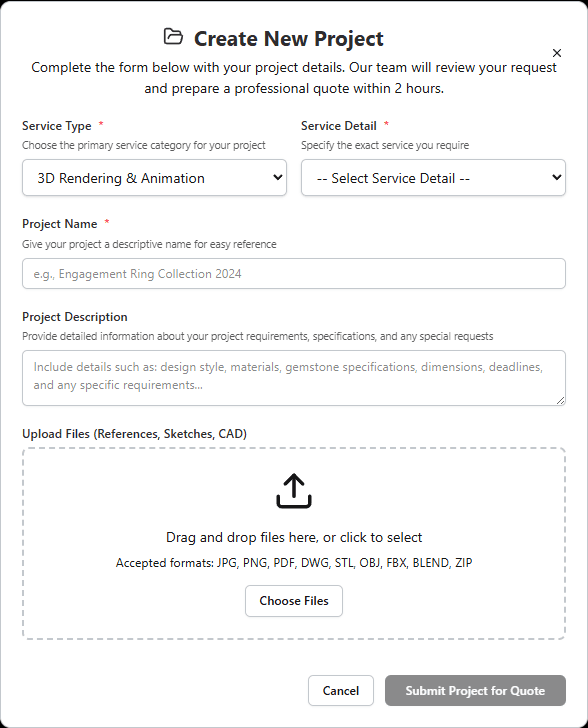
Create Your First Project
Click 'Create Project' to start a new service request. Select your service type (3D CAD Modeling or 3D Rendering & Animation), choose specific service details, add project name and description, and upload reference files.
Track Project Status & Progress
Monitor your project's real-time status through 27 different stages. View progress percentages, status badges, and detailed project information in your dashboard or profile page.
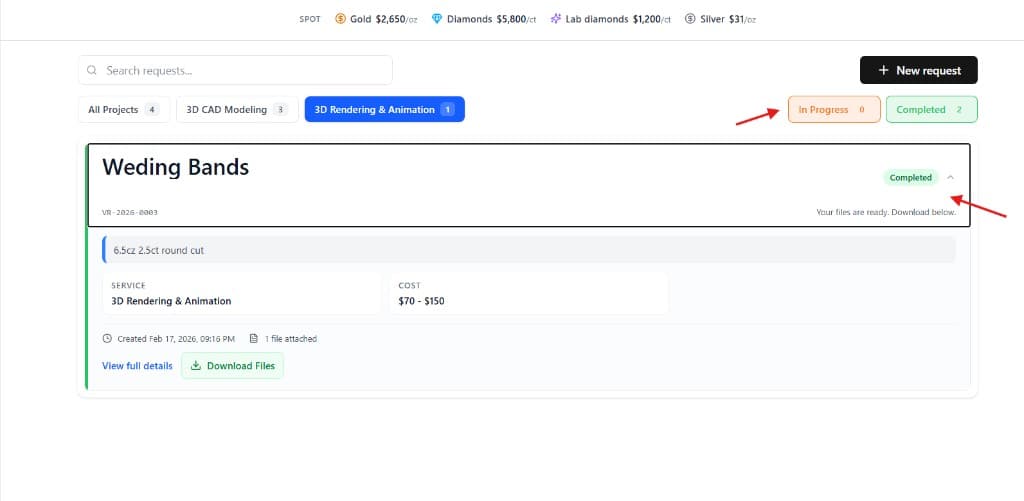
Analyze Project Data & Performance
Use your dashboard analytics to view total projects, completed vs active projects, average delivery times, quality scores, and project history. Filter and search projects by status or service type.
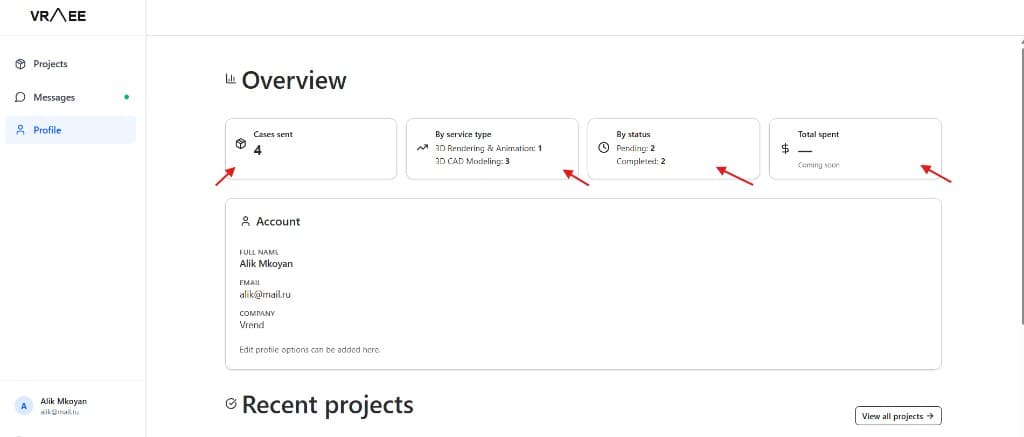
Monitor Progress & Milestones
Watch your project progress through each stage with visual progress bars. Receive updates when projects reach key milestones like CAD_MODEL_AWAITING_APPROVAL or DRAFT_RENDER_AWAITING_APPROVAL.
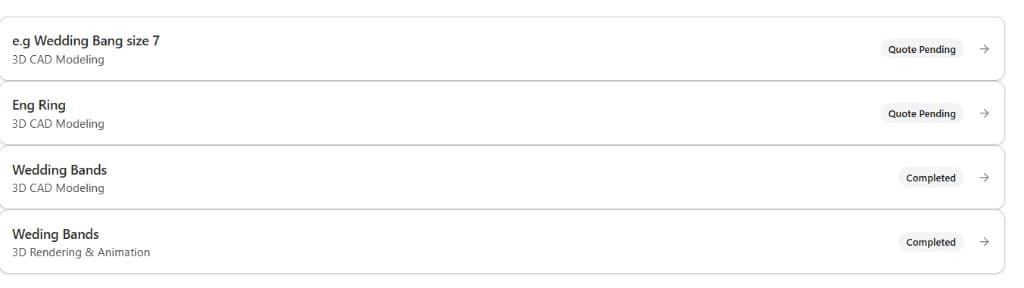
Review & Provide Feedback
When your project reaches approval stages (CAD_MODEL_AWAITING_APPROVAL or DRAFT_RENDER_AWAITING_APPROVAL), review the work and provide feedback through the portal. Approve to continue or request revisions.
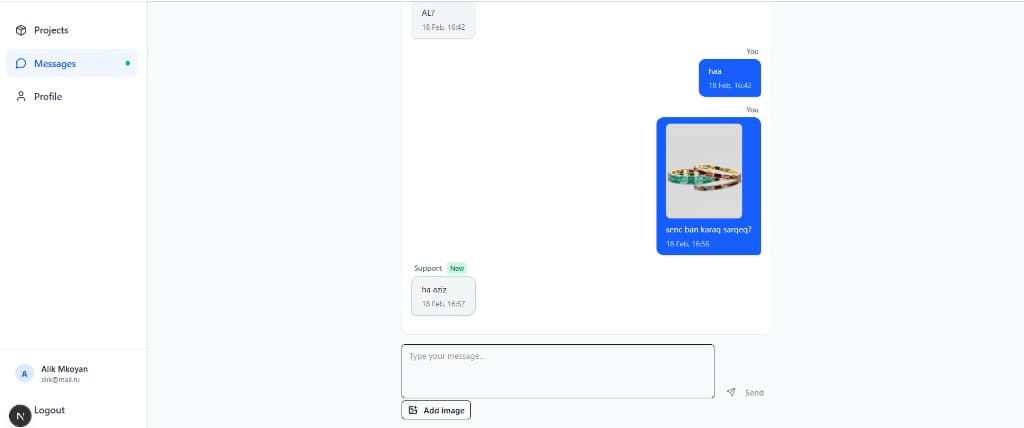
Download Completed Files
When your project status reaches READY_FOR_DOWNLOAD or COMPLETED, access and download all project files securely through your project page. Files remain available in your archive.
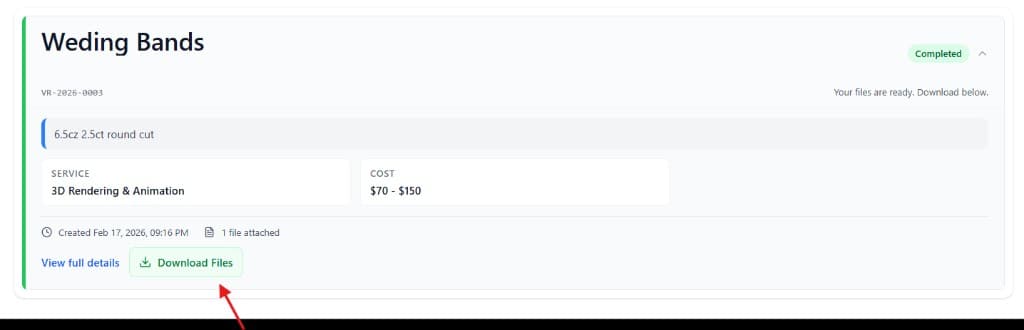
Access Project Archive & History
View all your completed projects in one place. Access project history, download previous files, and reference past projects for future work. All projects remain accessible in your archive.
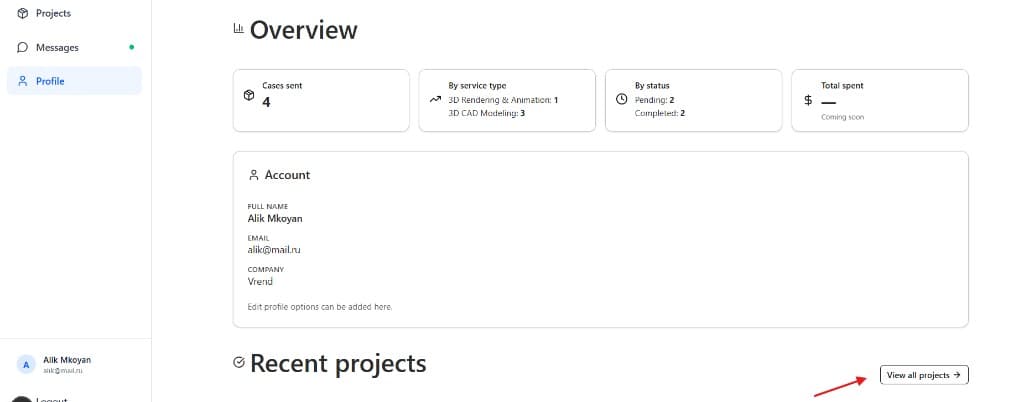
How to Analyze & Track Your Projects
Your dashboard provides comprehensive tools to monitor, analyze, and manage all your projects in one place.
Dashboard Analytics
View comprehensive analytics including total projects, completed vs active breakdown, average delivery times, quality scores, and loyalty points.
- Project statistics overview
- Performance metrics tracking
- Quality score monitoring
Filter & Search
Quickly find projects using search by name or filter by status (Ready, In Progress, Pending, Completed) or service type.
- Search by project name
- Filter by status category
- Filter by service type
Project Categories
Projects are automatically organized into categories: Ready for Download, In Progress, Pending Approval, Completed, and Cancelled.
- Automatic categorization
- Status-based organization
- Quick status overview
Progress Tracking
Monitor real-time progress with visual progress bars showing completion percentage (0-100%) and current project status.
- Visual progress bars
- Percentage completion
- Status updates
Status System
Projects move through 27 different status stages from QUOTE_PENDING to COMPLETED, with color-coded badges for easy identification.
- 27 status stages
- Color-coded badges
- Clear status labels
Project Details
Access comprehensive project information including service type, project name, description, files, creation date, and estimated delivery.
- Complete project info
- File attachments
- Timeline tracking
Process Questions & Answers
How long does account approval take?
Our team reviews applications within 24 hours. You'll receive an email notification once your account is approved and can immediately start creating projects.
How do I track my project progress?
Log in to your dashboard or profile page to see all projects. Each project shows a status badge, progress percentage, and is organized by category (Ready, In Progress, Pending, Completed). Click on any project to see detailed information.
What project statuses should I know about?
Projects start as QUOTE_PENDING, then move through stages like AWAITING_PAYMENT, PREPARATION, CAD_MODEL_CREATION, CAD_MODEL_AWAITING_APPROVAL, and finally COMPLETED. Status badges are color-coded for easy identification.
How can I analyze my project performance?
Your dashboard shows analytics including total projects, completed vs active breakdown, average delivery times, and quality scores. Use the filter and search features to find specific projects or analyze by service type.
When can I download my project files?
Files become available for download when your project status reaches READY_FOR_DOWNLOAD or COMPLETED. Access downloads through your project page, and all files remain available in your archive.
Can I create multiple projects?
Yes! You can create unlimited projects. Each project is tracked independently with its own status, progress, and timeline. Use the dashboard to manage all your projects in one place.